

If your NAS is offline and holds important data, pause new writes and record the symptoms before changing the storage configuration. Do not start a rebuild, initialize disks, create a new pool, or swap drives as a first response. First establish whether the problem is connectivity, storage health, or both. If a rebuild is already running, get case-specific guidance before interrupting it.
A disconnected shared folder can stop an office, a photo-editing studio, or a business application. It is tempting to replace the drive with an amber light and press Repair. That may be appropriate for a confirmed, supported degraded-array maintenance case, but the same response can be wrong for a different failure.
This guide helps you preserve options and prepare a useful assessment request. Synology and QNAP examples illustrate why status matters; the menus and procedures for your own model and software version may differ.
Offline does not identify the storage fault
An offline NAS may be powered off, unreachable on the network, or reachable while its storage is unavailable. Synology’s connection guidance distinguishes power and network checks from device setup states. A mapped drive failing on one workstation does not by itself prove that the RAID has failed. [1]
One computer cannot open a share
What it tells you: The fault may be in its connection, credentials or share access.
A useful next step: Compare existing access from another authorized client; record the error.
NAS management page is unreachable
What it tells you: Power or network reachability needs investigation.
A useful next step: Observe power/LAN indicators and check the known address without resetting storage.
Storage pool is Degraded
What it tells you: Redundancy has been reduced; data may still be accessible.
A useful next step: Confirm exact pool status, member identity and backup coverage.
Degraded – Readonly
What it tells you: The storage is in a serious condition.
A useful next step: Prioritize available data on another device; do not casually change members.
Pool is Crashed / RAID is Not Active
What it tells you: The storage cannot be used normally; causes and remedies vary.
A useful next step: Preserve the disk set and request model-specific support or recovery assessment.
Rebuilding / Repairing already shown
What it tells you: An operation is already changing the storage state.
A useful next step: Record its progress and errors. Do not abruptly interrupt it without advice.
These are observations, not interchangeable diagnoses. Capture the actual text instead of reporting only “NAS dead.” Also distinguish a drive status from a storage-pool status: one drive’s warning does not fully describe the condition of all the shared data.
Your first actions during a NAS incident
- Ask staff to stop saving new files to the affected NAS. Coordinate with the application owner before stopping databases or virtual machines; avoid ad hoc shutdowns of business services.
- Record the time, visible indicators, audible symptoms and the exact client or management error. Use a working device for your incident notes.
- If the management interface is already accessible, capture existing pool/volume status, member information and recent logs. Avoid starting long tests, scrubs, upgrades or repair operations merely to collect more information.
- Check the latest verified backup on separate storage and identify which recent files or transactions it may not contain.
- Keep installed disks in their existing positions and retain every disk already removed, including the suspected failed member.
- Contact the appropriate administrator, vendor support or recovery assessor before an operation whose effect on existing data is unclear.
For example, an accounts office might have a verified backup from the previous evening while staff entered several hours of new transactions today. The recovery priority is then the missing period, rather than simply getting a green status light. Tell the assessor which application holds those transactions and who can validate them.
Check connectivity before changing storage
Check the known NAS address, network link indicators and recent router changes. An administrator can use the vendor’s discovery tool to identify the device and reported state without creating a new pool. [1]
If a discovery tool offers installation or initialization on a NAS containing data, pause. Synology warns that installation from a Not installed state can delete data. Read the model-specific instructions; avoid using reset as a recovery shortcut. [1]
Once access returns, check the original storage status before treating the incident as resolved. An address change and a drive fault can coexist. Confirm which shares are accessible and whether users see expected files, rather than testing by creating new files on uncertain storage.
A rebuild and a data recovery are different tasks
A rebuild is a supported maintenance operation for particular redundant RAID configurations after a member failure. QNAP’s degraded-group documentation describes data remaining accessible when failures are within that RAID type’s tolerance, followed by rebuilding with selected disks. That is different from retrieving data from an unavailable, unstable, or incorrectly changed disk set. [10]
Synology’s DSM repair documentation likewise separates Degraded from Crashed pools. It requires suitable replacement drives, limits repair to supported protected configurations, and warns that existing data on the replacement drive will be erased. A generic instruction to “insert another disk and rebuild” misses those conditions. [2]
Before a maintenance rebuild, establish the correct member to replace, the condition of the other members, the supported replacement requirements, and a verified data-protection plan. If the NAS has the only copy of critical files and its state is uncertain, seek an assessment before proceeding.
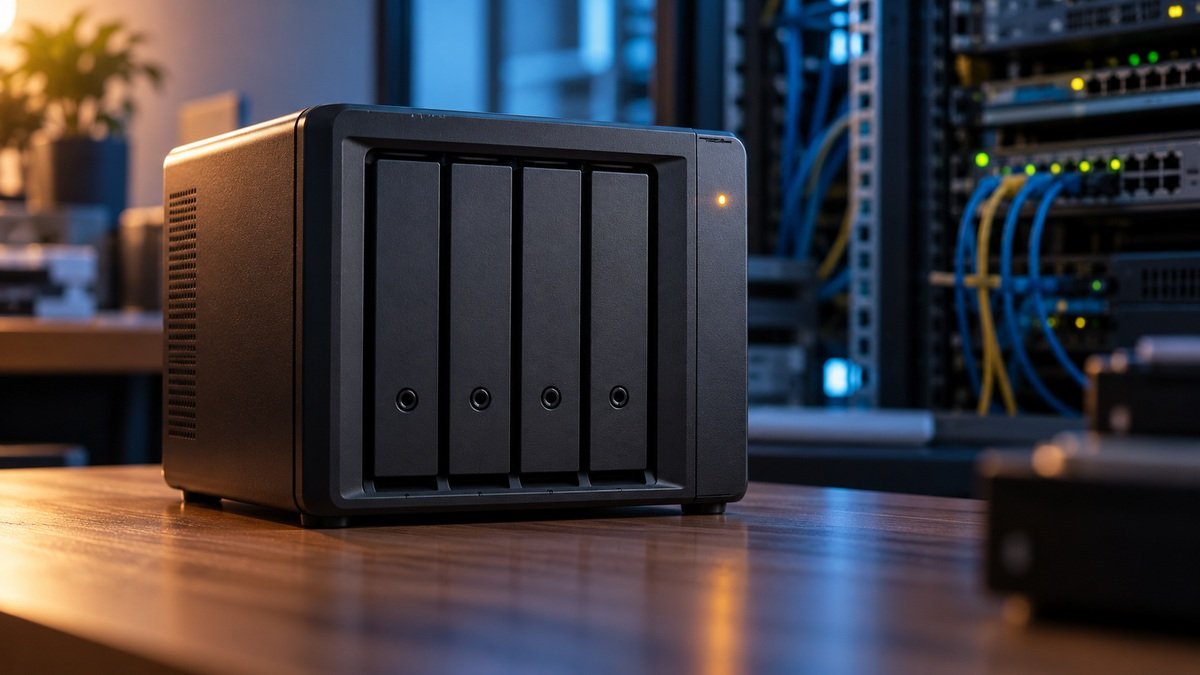
Do not keep changing members to make a repair button appear. Also avoid instructions copied from another RAID level, firmware version or vendor. A four-bay enclosure does not reveal the configured RAID type, number of pools, cache arrangement or actual protection level.
Read-only and crashed states need careful handling
QNAP warns that a degraded read-only RAID group can become inactive and that replacing a disk may make matters worse in that state. Its guidance prioritizes backing up accessible files to another device before disk changes. Read-only access is therefore an opportunity to preserve data, not confirmation that replacement is safe. [3]
Synology’s crashed-volume guidance also distinguishes readable from unreadable data. For a readable crashed volume, it advises retaining power while backing up; when drive errors prevent reading, it directs users to data rescue assistance. This is why “always switch it off immediately” is not a reliable rule for every NAS incident. [4]
If access is stable, plan a controlled copy to healthy separate storage and prioritize business-critical material. If access repeatedly stalls, members disconnect, or a drive makes abnormal mechanical noises, stop repeated attempts and ask for guidance on handling the system. Do not interpret this as permission to pull power during an active operation.
Preserve the complete disk set and bay records
Do not shuffle trays or decide that a disk is disposable because it is marked faulty. Record the present bay positions and serial numbers wherever they are available without disturbing installed drives. Preserve a history of any earlier changes as well as the current arrangement.
QNAP’s documented recovery procedure for temporary disk disconnection requires members to return to their original bays and says that this procedure does not resolve actual disk failure. A vendor’s Recover command has a defined use case; it is not a universal answer to any inaccessible RAID. [5]
- Keep original members, replacement members and spare disks clearly identified.
- Record cache SSDs and expansion enclosures if present; do not assume only front-bay disks matter.
- If drives are already removed, preserve each recorded bay association and describe any uncertainty.
- Do not initialize original disks when a computer asks to prepare them.
- Obtain handling and packing advice before transporting the NAS or its disks.
If a rebuild or repair has already started
Record the start time, progress, member changes and any new errors. Tell the assessor exactly which disk was inserted and which disk was removed. If an automatic rebuild started, include that fact rather than reporting only the action you intended.
Do not abruptly power off the NAS, pull a tray, or repeatedly restart it to influence the result. Let the administrator or vendor support evaluate the running operation and use the model’s supported controls where appropriate. The right response to new read errors or deteriorating hardware needs case-specific advice.
Keep removed originals protected while the result is evaluated. A completed progress bar does not verify every required file, database or virtual machine. Record what is actually readable and what remains missing, and do not follow an unsuccessful rebuild with more guesses.
Keep encryption keys and configuration details
Tell the assessor whether volumes, shared folders, or application data are encrypted. Preserve the appropriate passwords, key files and recovery material securely. QNAP states that an encrypted volume requires its password or key file and that it cannot recover the encrypted data without either. Physical access to disks does not remove that requirement. [6]
Do not send keys, passwords or private business documents in the initial enquiry. First agree on an appropriate secure handover with the authorized person. Record configuration details such as NAS model, software version, known RAID type, pool layout and any prior migration; label unknown information as unknown.
Copying business data requires verification
When stable access permits copying, use separate healthy storage. Keep an incident inventory of what was copied, what failed, and which destination contains the verified copy. Avoid a migration or move operation that removes original data during an unresolved incident.
For ordinary documents, open representative files and compare expected folders and dates. Databases and virtual machines need application-aware handling: an ordinary copy of files from an active application may not be a usable recovery point. Ask the application owner to validate exports, backups and restored services on separate infrastructure. Microsoft’s VSS guidance explains why running applications need coordinated backups to preserve data consistency. [11]
Describe the acceptance criteria before delivery. A photographer may need complete client folders and playable videos; an accounts office may need a database that opens and contains the latest entries; an IT team may need specific virtual machines and their linked files. File count and recovered size alone do not establish that these needs are met.
RAID and local snapshots are not independent backups
QNAP explains that RAID protects against some hardware failures but does not replace backup protection against deletion, corruption, theft or a disaster affecting the entire system. Redundancy and a separate verified copy solve different problems. [7]
Local snapshots can help with supported rollback scenarios, but QNAP notes that snapshots depend on their storage pool. If that pool is unavailable, its local snapshots are not an independent escape route. Replica configurations provide different protection, including replicas on another pool or a remote NAS; verify where yours actually reside. [8],[9]
After the immediate incident, review backup scope, retention, access control and restore testing. Document how much work the last verified backup would lose and how long restoring the critical applications takes. Include encryption recovery material in the continuity plan, stored separately and securely.
Your case details
For a DATA RECOVERY DOCTOR NAS or RAID enquiry, prepare:
- NAS make/model, software version if known, and the incident start time.
- Exact pool, volume and RAID messages, plus accessible logs or photographs of indicators.
- Original disk count, capacities, models and serials where already available.
- Real bay-to-disk records, removed members, replacement members, and cache or expansion devices.
- Known RAID type and pool layout, with uncertain details clearly identified.
- Any rebuild, reset, update, repair, scrub, migration or disk replacement already attempted.
- Which data remains readable and which applications or recent periods matter most.
- Backup location, last verified restore point, and whether encryption recovery material is available.
The first enquiry can describe the system without attaching confidential data. An assessment should establish the recovery scope and next steps before a service estimate or completion expectation is set. This article does not promise a fixed recovery percentage, completion time or price.
Frequently asked questions
Does NAS Offline mean the RAID has failed?
No. Power, network access and storage availability are separate observations. Check the known address and existing device status before changing disks or creating a new pool. [1]
Should I immediately replace the disk with an amber light?
Confirm the real drive and pool status first. Replacement can be appropriate for supported degraded-array maintenance, but a read-only or inactive group needs a different assessment. Do not identify the member solely from a generic light color. [2],[3]
Is a degraded NAS safe to keep using normally?
Data may remain accessible within the RAID type’s fault tolerance, but redundancy has been reduced. Pause unnecessary work, verify backup coverage and arrange the correct supported maintenance or recovery plan. [10]
Should I turn the NAS off immediately?
There is no universal answer. Synology advises keeping a readable crashed volume powered while backing it up. A running repair or unstable hardware also needs case-specific handling. Avoid an abrupt power cut or repeated restarts. [4]
Can Recover RAID Group fix every inactive array?
No. Vendor procedures have specific conditions. QNAP’s temporary-disconnection recovery guidance explicitly distinguishes that case from disk failure. Preserve the disk set and ask which procedure applies. [5]
Can local snapshots restore files when the pool is unavailable?
Do not assume so. Local snapshots depend on their storage pool. A separately configured replica may offer additional protection; confirm its location, availability and usable restore point. [8],[9]
Will a laboratory need all the disks?
Prepare records for the complete original set and retain every removed member. The assessor will specify what must be supplied, including any relevant cache or expansion devices. Do not discard members before the case is evaluated.
Can encrypted NAS data be recovered without the key?
Do not assume disk-level recovery bypasses encryption. For QNAP encrypted volumes, the required password or key file remains essential. Preserve available recovery material and arrange a secure authorized handover. [6]
Discuss your recovery case
DATA RECOVERY DOCTOR — 25 Years Experience • Since 2001.
Specialist assessment using Advanced Data Recovery Technologies. Class 100 cleanroom facilities for physical HDD work when required. Recovery options depend on the media condition and case assessment.
Call / WhatsApp: 9325220081 / 8975620081
Email: datarecoverydoctormh@gmail.com
Lab: 1st Floor, Niwara, Near Ajmera Bhawan, Khadkeshwar, Chhatrapati Sambhajinagar (Aurangabad), Maharashtra – 431001.
Website: www.datarecoverydoctor.in
Send the device label photo, capacity and symptoms to start an enquiry. Do not include passwords or private files in the initial message.
Sources and further reading
Primary-source guidance checked on 11 October 2026.
- Synology: Troubleshoot NAS Connection Problems on the Local Network
- Synology DSM 7: Repair a Storage Pool
- QNAP: Disk Errors and Storage-Related Warnings
- Synology: What Can I Do If One of My Volumes Crashed?
- QNAP QTS 4.3.x: Recovering a RAID Group After Disconnection
- QNAP: Forgotten Password for an Encrypted Volume
- QNAP: RAID Does Not Equal Backup
- QNAP: Frequently Asked Questions About Snapshots
- QNAP QTS 4.5.x: Snapshot Replica Protection Levels
- QNAP QTS 5.0.x: Recovering a RAID Group with a Degraded Status
- Microsoft: Volume Shadow Copy Service and Application Consistency